
5thSocial PilotNav
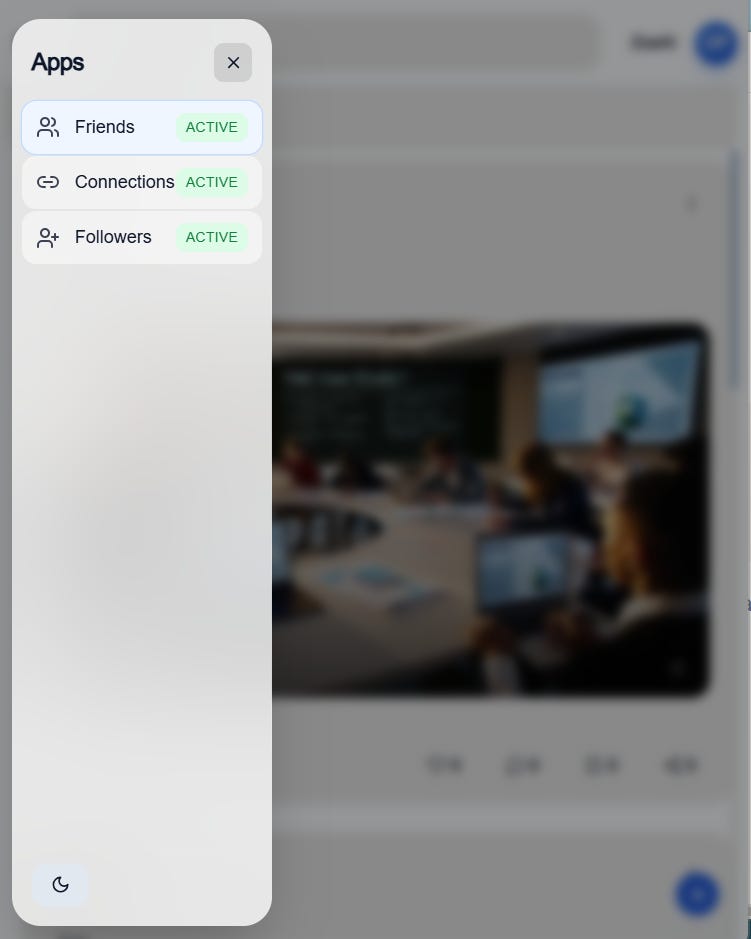
PilotNav is the architecture and framework that drives 5thSocial

Session Length: 30 minutes
Format: Walkthrough + real examples
Outcome: You understand how the three apps stay organized under one control system — and how to use them with purpose.
Overview
You just learned that 5thSocial has three separate apps — Friends, Followers, and Connections — and that each one has a different job.
Now you’re going one step further.
In this session, you’ll learn how PilotNav keeps everything organized when you move between those apps. It keeps things steady so your work stays clear and focused.
5thSocial is built to help you turn ideas into action, action into progress, and progress into real partnerships — with training and support along the way.
This is where you move from understanding the system to using it with confidence.
Module 1 — What PilotNav Really Is
When you switch between apps inside 5thSocial, some things change.
But one thing stays the same.
That steady layer is PilotNav.
It:
Turns apps on
Keeps content separated
Controls who can do what
Makes sure posts don’t mix together
The big idea:
The apps change.
The structure stays steady.
That stability gives you control.
Module 2 — The Three App Environments
5thSocial has three different spaces. Each one has a clear purpose.
When you understand the purpose of each space, you build faster and with less confusion.
Friends — Where Work Gets Organized
Friends is your teamwork space. This is where trusted people work together to build something real.
Use Friends when you want to:
Work with others
Assign missions (tasks)
Build campaigns
Track progress
Friends is where ideas turn into organized action.
Followers — Where Attention Grows
Followers is your public space. This is where you share ideas openly and attract people who care about what you’re building.
Use Followers when you want to:
Share ideas publicly
Post short videos
Build momentum
See what message connects
This is where people discover what you’re building.
Connections — Where Opportunity Forms
Connections is your professional space. This is where you build serious relationships that can lead to partnerships, funding, or long-term opportunity.
Use Connections when you want to:
Build professional relationships
Reach sponsors or partners
Show progress
Create real opportunities
This is where your progress starts to open doors.
Module 3 — Why Separation Matters
On most platforms, everything mixes together.
Work posts sit next to personal updates.
Serious planning mixes with casual sharing.
Messages get confusing.
5thSocial keeps them separate on purpose.
When you post in Followers, it stays there.
When you build a campaign in Friends, it stays there.
When you connect professionally, it stays in Connections.
This keeps your message clear, strong, and easy to understand.
Module 4 — How to Use All Three Together
Here’s how you build something real:
Share your idea in Followers.
Move serious collaborators into Friends.
Use Connections to create partnerships or funding.
Attention → Teamwork → Opportunity.
When you follow this order, momentum builds naturally.
Module 5 — What You Can Actually Build
When you use the system correctly, you can build:
A startup launch plan
A community project
A product rollout
A marketing plan
A nonprofit campaign
A creator income system
Followers builds attention.
Friends builds structure.
Connections builds opportunity.
You are not just posting.
You are building something that can grow.
Module 6 — What Happens If You Ignore Structure
If you try to:
Organize serious work in Followers
Share private plans publicly
Treat Connections like a casual feed
You slow your own progress.
Clear structure protects your momentum and your reputation.
Module 7 — The Big Idea
PilotNav keeps everything steady while you move between apps.
Because of that, you can:
Grow attention without losing focus
Work with a team without confusion
Turn progress into opportunity
This is how ideas become real outcomes.
Final Check
If you understand this training, you should be able to answer:
What is PilotNav?
Simple answer:
PilotNav is the control system that keeps Friends, Followers, and Connections organized and separate so you can build with purpose.
If you can explain that clearly, you’re ready for the next level.
Quick Quiz
Section 1 — Multiple Choice
What is PilotNav mainly responsible for?
A. Posting videos
B. Mixing all content into one feed
C. Keeping Friends, Followers, and Connections organized and separate
D. Sending adsWhich app should you use to organize a campaign and assign missions?
A. Followers
B. Friends
C. Connections
D. All of them at onceWhich app is best for building public visibility and sharing short videos?
A. Friends
B. Connections
C. Followers
D. PilotNavWhich app is designed for sponsors, investors, and professional partnerships?
A. Followers
B. Friends
C. Connections
D. Notifications
Section 2 — Short Answer
Why does 5thSocial separate the three apps instead of blending everything together?
Describe a simple 3-step plan to turn an idea into opportunity using all three apps.
Answer Key
C
B
C
C
Short Answer Themes:
Separation keeps work clear and prevents confusion between attention, teamwork, and professional outreach.
Share the idea in Followers, move serious collaborators into Friends to build it, then use Connections to create partnerships or funding.
Build attention. Build structure. Build opportunity.