
5thSocial — Connections App
Use the Connections app to build credibility and attract opportunities,

Session Length: 30 minutes
Format: Live demo + guided practice
Outcome: You can use Connections to build credibility, attract opportunities, and grow your professional network with purpose.
Overview
After learning how Friends helps you organize work, you are now stepping into Connections.
Connections is the professional space inside 5thSocial. This is where you show what you know, build real relationships, and create long-term opportunities.
It is not a casual social feed. It is built for professional growth and serious opportunity.
Learning Goals
By the end of this session, you will be able to:
Explain what the Connections graph is for.
Build a strong professional profile.
Post in a clear and professional way.
Grow your network with intention.
Understand why professionalism matters in this space.
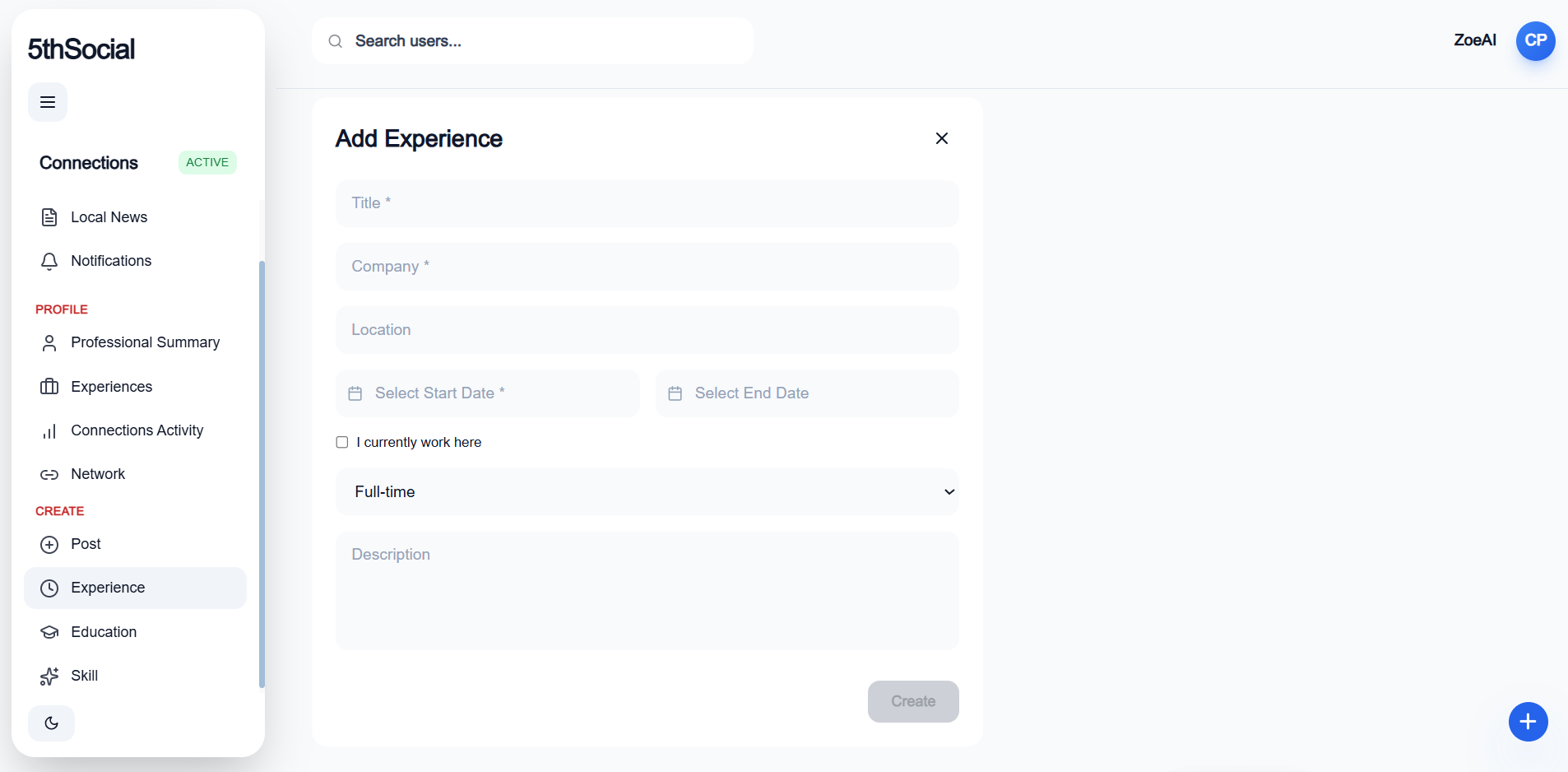
Connections Navigation (What You See in the App)
Use this guide while you explore the Connections sidebar.
Feed
My Feed — Your main professional content stream. See posts from people in your network.
Local News — Business and community updates relevant to your location.
Notifications — Alerts for comments, connection requests, mentions, and activity.
Profile
Professional Summary — Your headline and overview. This explains who you are and what you do.
Experiences — Your work history, roles, and major projects.
Connections Activity — Your post and updates to your network.
Network — The professionals you are connected to and new people you may want to connect with.
Create
Post — Share a professional insight, update, or opportunity.
Experience — Add a new role, project, or achievement.
Education — Add schools, certifications, or training.
Skill — Add strengths you want to be known for.
Module 1 — What Connections Is
Connections is your professional space.
Use it to:
Show your skills
Share experience
Build partnerships
Create new opportunities
This is where people evaluate your credibility.
Avoid:
Random updates
Emotional posts
Casual conversation
Connections is about clarity and credibility.
Module 2 — Building Your Professional Profile
Your profile is your professional signal.
It shows:
Who you are
What you do
What you’re building
What you’re good at
Main sections:
Professional Summary
Experience
Education
Skills
Network
A complete profile builds trust.
Practice
Write a short Professional Summary (3–5 sentences).
Add at least one Experience.
List one Skill you want to be known for.
Module 3 — Posting with Purpose
Posts in Connections should show your thinking.
Good posts:
Share insight
Explain a project
Announce progress
Invite serious collaboration
Avoid:
Personal updates
Complaints
Emotional reactions
Before posting, ask:
Does this show my expertise?
Does this create opportunity?
Module 4 — Building the Right Network
Connections is not about collecting as many people as possible.
It is about connecting with the right people.
Ask:
Who matches my goals?
Who brings skills I don’t have?
Who could I work with long-term?
Strong networks are built on purpose.
Module 5 — Professional Standards
Connections protects credibility.
This space includes:
Moderation tools
Clear posting boundaries
Structured profiles
Professional standards protect your reputation.
Module 6 — Real Examples
Example 1 — Founder
You can:
Share your business idea
Post updates on progress
Attract collaborators
Signal growth to investors
Example 2 — University Leader
You can:
Share research initiatives
Connect with sponsors
Build partnerships
Example 3 — Consultant
You can:
Share insights
Show your method
Attract serious clients
Connections turns progress into opportunity.
Module 7 — Common Mistakes
Avoid:
Posting emotional content
Treating Connections like Friends
Connecting without purpose
Posting without clear intent
Clarity creates opportunity.
Module 8 — Final Check
You should be able to explain:
What is the purpose of the Connections app?
Simple answer:
Connections is the professional space where you build credibility and create long-term opportunity.
Final Quiz
Section 1 — Multiple Choice
What is the main purpose of Connections?
A. Casual social posting
B. Professional signaling and opportunity building
C. Entertainment
D. Anonymous chattingWhat should a good Connections post do?
A. Share emotional updates
B. Demonstrate expertise
C. Copy Friends content
D. React to trends
Short Answer
Why is it important to keep Connections professional?
What is one example of using Connections to create opportunity?
Answer Key
B
B
Short Answer Themes:
Professional focus builds credibility and trust.
Sharing expertise, posting progress, or connecting with sponsors or partners.